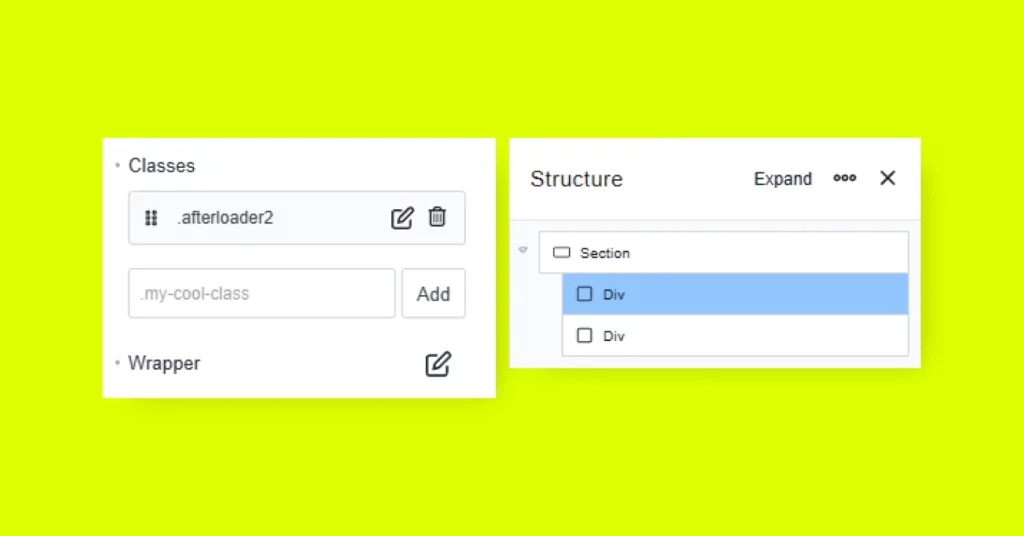
Step 1: Create the Loader Elements
In Breakdance, add two Div elements and assign them the following classes:
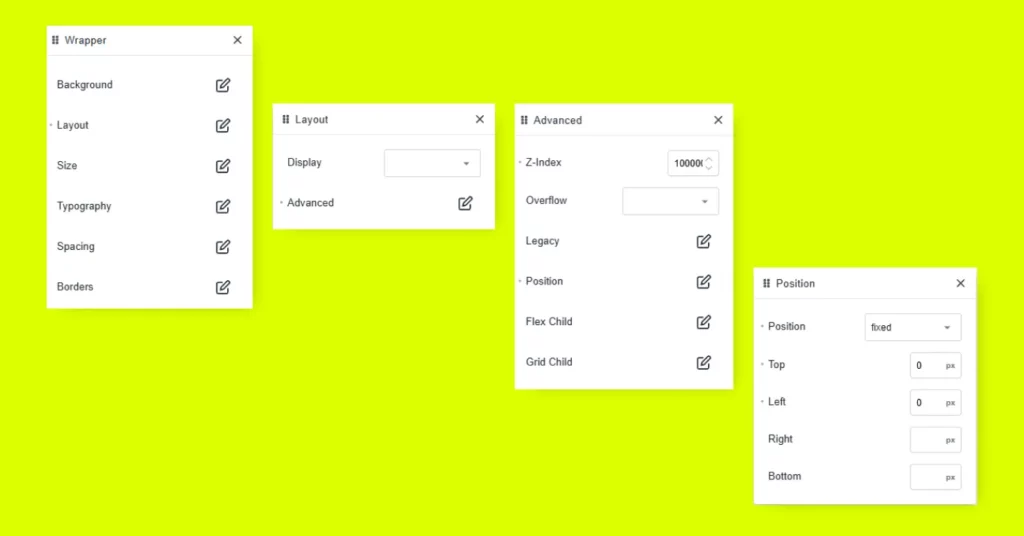
Go to Advanced > Wrapper > Layout:
Paste the following CSS into your site (e.g., via Breakdance > Settings > Custom Code > CSS, or in your theme customizer):
.afterloader2 {
width: 100%;
height: 100vh;
background-color: #DBFF00;
animation: slideDown 1.5s cubic-bezier(.98,-0.01,0,1.03) forwards;
transform-origin: top;
}

@keyframes slideDown {
0% {
transform: scaleY(1);
opacity: 1;
}
99% {
opacity: 1;
}
100% {
transform: scaleY(0);
opacity: 0; /* Fades out the div */
}
}

.afterloader {
    width: 100%;
    height: 100vh;
    background-color: #151A1B;
    animation: slideDown 1.5s cubic-bezier(.98,-0.01,0,1.03) forwards;
  animation-delay: 0.2s;
}

@keyframes slideDown {
    0% {
        transform: translateY(0);
    }
    100% {
        transform: translateY(100vh);
}
}

.hide {
display: none; /* Utility class for hiding elements */
}
Go to Breakdance > Settings > Custom Code > JavaScript (or use a plugin like Code Snippets), and insert this JavaScript:
// Select both loader elements
const afterLoaders = document.querySelectorAll('.afterloader2, .afterloader');
// Add animationend listener to each loader
afterLoaders.forEach(function(afterLoader) {
afterLoader.addEventListener('animationend', function() {
this.style.display = 'none'; // Hides the loader after animation ends
});
});